
Overview
Getting Started
Clusters
PMK CLI
APIs
In Cluster Monitoring
Catapult Remote Monitoring
Platform9 Managed Add-ons
Platform Administration
Workloads & Apps
Powered By

Elastic Load Balancer (ELB) Shows No Active Instances
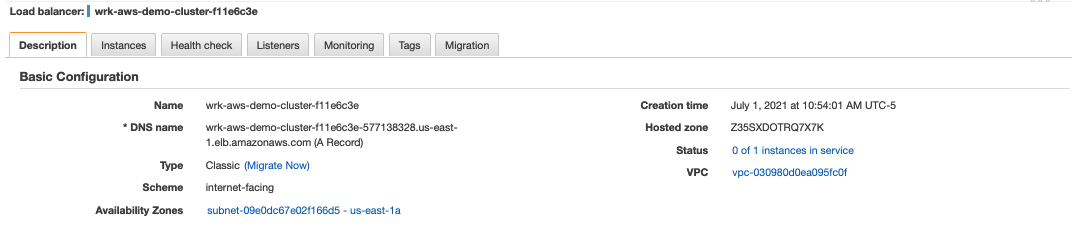
In AWS, under Load Balancing > Load Balancers, there is an ELB which shows no active instances in service.
Worker ELB
A worker ELB is automatically provisioned as part of the PMK cluster deployment.
Application ELB
A Service exposed as type LoadBalancer has a provisioned ELB address recoded as the EXTERNAL-IP , but, the service is not reachable on the exposed port.
❯ kubectl expose deployment/nginx-deployment --type LoadBalancer
service/nginx-deployment exposed
❯ kubectl get svc
NAME TYPE CLUSTER-IP EXTERNAL-IP PORT(S) AGE
nginx-deployment LoadBalancer 10.21.2.126 01.us-east-1.elb.amazonaws.com 80:30097/TCP 8m52s
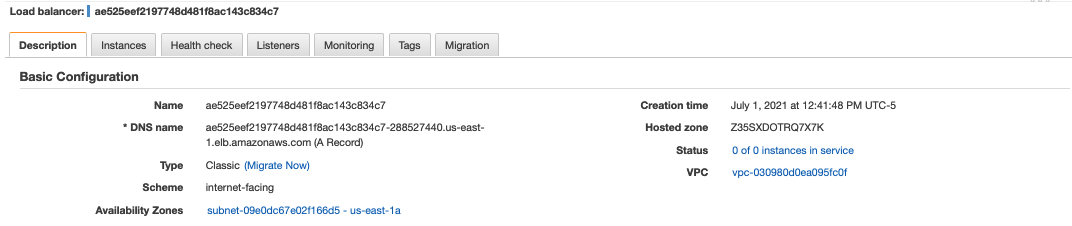
❯ curl http://ae525eef2197748d481f8ac143c834c7-288527440.us-east-1.elb.amazonaws.com
curl: (52) Empty reply from server
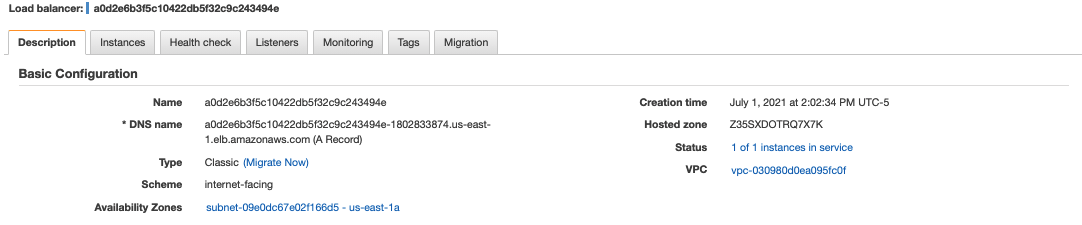
To resolve this, you must add the HealthCheckNodePort along with the NodePort allocated for the Service as allowed Inbound TCP rules to the worker SG from the K8s ELB SG.

Afterward, you should see 1 or more instances in service (depending on the # of nodes in the cluster).
NodePort Service Isn't Externally Reachable
A Service type of NodePort isn't reachable via the Service FQDN for the cluster, nor the associated worker ELB address.
❯ curl -v http://wrk-aws-demo-cluster-f11e6c3e-577138328.us-east-1.elb.amazonaws.com
* Trying 23.20.211.239...
* TCP_NODELAY set
* Connected to wrk-aws-demo-cluster-f11e6c3e-577138328.us-east-1.elb.amazonaws.com (23.20.211.239) port 80 (#0)
> GET / HTTP/1.1
> Host: wrk-aws-demo-cluster-f11e6c3e-577138328.us-east-1.elb.amazonaws.com
> User-Agent: curl/7.64.1
> Accept: */*
>
Was this page helpful?