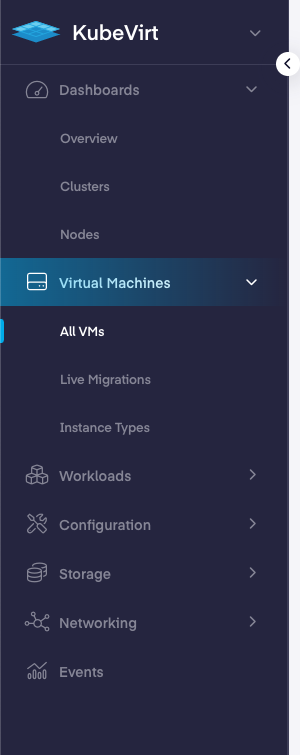
App Navigation
The menu on the top left of the landing page lets you switch between different app views in PMK.
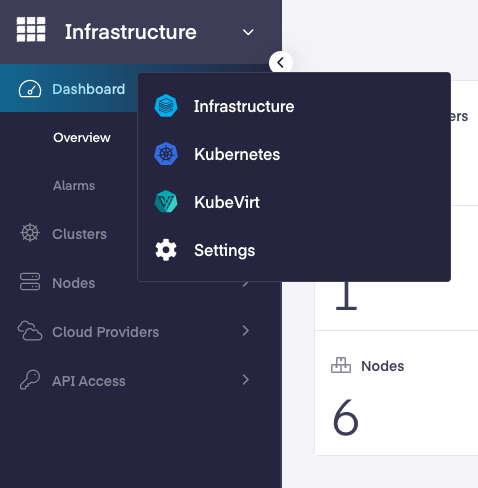
Infrastructure App
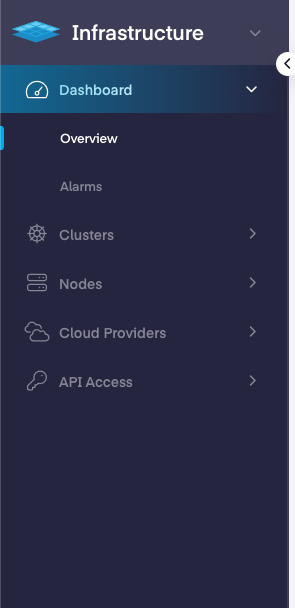
Overview – Details an overview of clusters, nodes, and cloud accounts. It also displays the region, tenant, notifications, user account, and admin settings.
Clusters – The clusters section shows the clusters being managed by the Platform9 and lets you perform actions such as create, update, scale up/down and delete on the clusters.
Nodes – This page displays all the nodes registered with Platform9 and lets you perform actions on the nodes.
Cloud Providers – This page displays cloud providers created in Platform9 and lets you manage those.
API Access – The API access page features API services, kubeconfig, and terraform related access info needed to programmatically interact with PMK.
Kubernetes App
In the PMK dashboard, there are multiple tabs down the left-hand side that provide access to its multiple features and function. Below is a brief description of each tab and the information available within it.
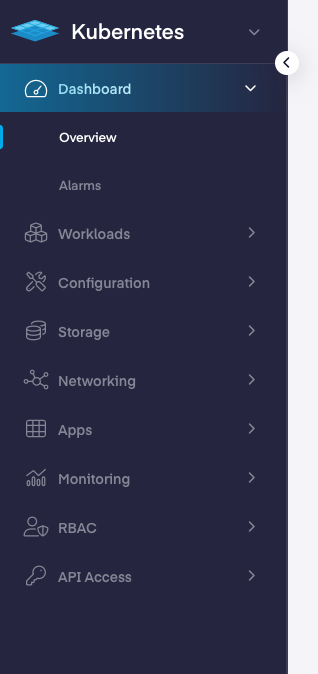
Dashboard – Details an overview of pods, deployments and services and lets you filter by Clusters and Namespaces on the top right. It also displays the tenant, notifications, user account, and admin settings.
Workloads – This page displays pods, deployments, services, stateful sets, daemon sets, cron jobs & namespaces in addition to further specific insight about their capabilities.
Configuration – This page displays config maps, secrets, resource quotas, limit ranges, horizonatal pod autoscalers & pod disruption budgets.
Storage – The storage page outlines the storage classes, persistent volumes, persistent volume claims, CSI drivers, storage providers and their associated details.
Networking – This page show shows advanced networking resources such as Netowork, Host Configurations, plugins and Kubernetes networking resources such as endpoints, ingresses & Network Policies.
Apps – This page shows the app catalog, deployed apps, repositories, and the information related to them.
Monitoring – The monitoring page shows an overview of the alarms, rules, and any notices available. It also provides links to Grafana and cluster details.
RBAC – The RBAC page displays the current Roles, ClusterRoles, RoleBindings, and ClusterRoleBindings and their links components. It also allows for editing and deletions of those components, as well as the ability to add/remove verbs to a resource.
API Access – The API access page features API services, kubeconfig, and terraform related access info needed to programmatically interact with PMK.
Kubevirt App
This section details the KubeVirt components which make it possible for virtual machines to be managed by Kubernetes.