
Overview
Getting Started
Clusters
PMK CLI
APIs
In Cluster Monitoring
Catapult Remote Monitoring
Platform Administration
Workloads & Apps
Support
Powered By

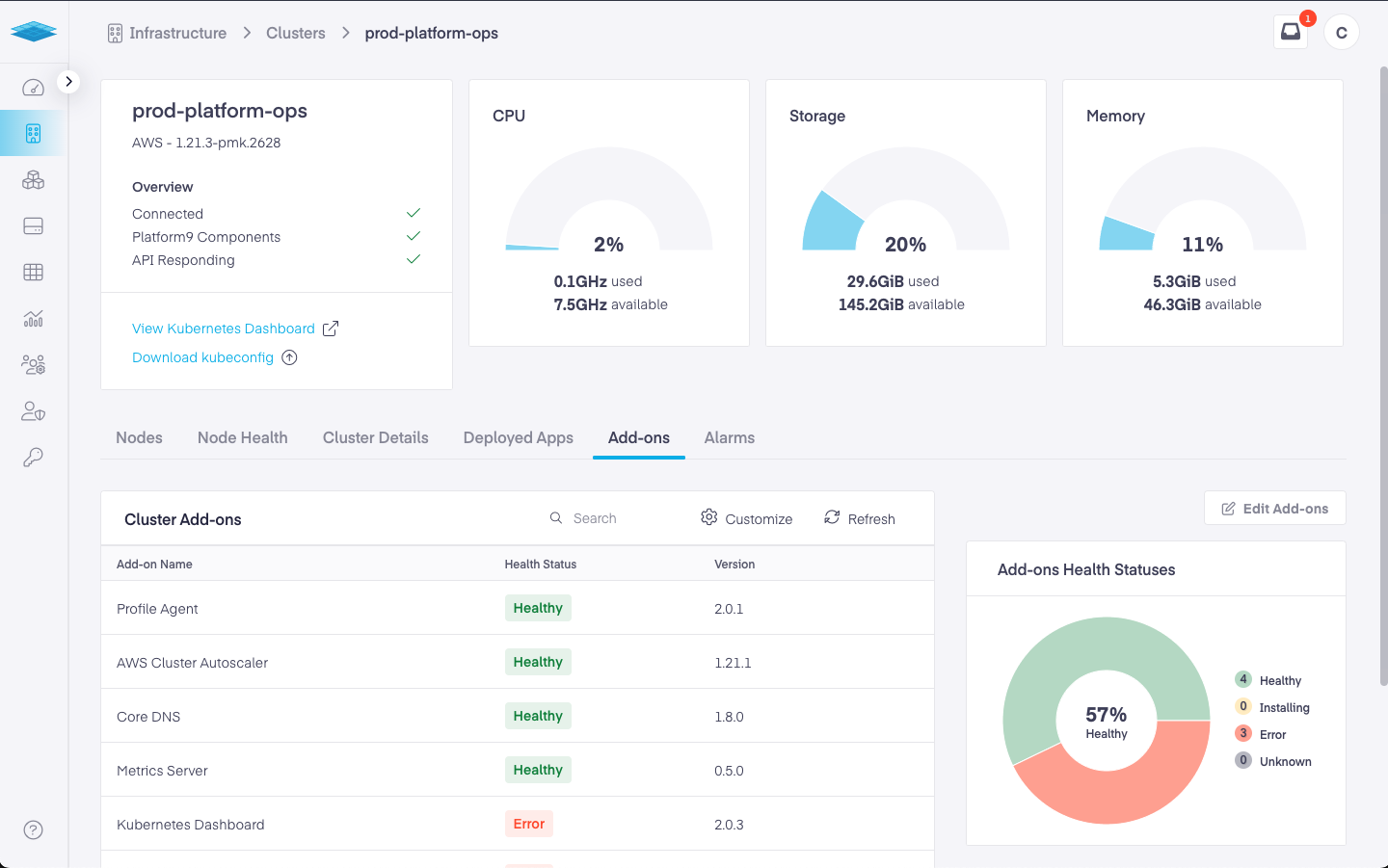
Add-ons operate as independent applications within a cluster. Each add-ons health status is reported back to the SaaS Management Plane and can be viewed on the Clusters Details Page.
You can view Add-on Health by navigating to Infrastructure -> Clusters -> Cluster Details -> Add-ons
Add-ons can be in one of the following states:
Healthy - Add-on is up and running and healthy
Error - Add-on has run into an error during or after installation.
Installing - Add-on is being installed
Installation Failed - Add-on installation failed.
At this point, the PMK dashboard does not provide visibility into errors when an add-on runs into an error state. You need to contact Platform support for help with triaging the add-on health issue.
Was this page helpful?