
Introduction
Getting Started
Infrastructure
Networks
Volumes and Snapshots
Images
Instances
Flavors
Tenant Administration
User Administration
Accessing VMs
Application Management
CLI Access
Monitoring & Alarms
Troubleshooting
Tutorials
Support
Regions
Powered By

Platform9 supports Single Sign-on with OneLogin. This tutorial describes the procedure for configuring the Platform9 application within OneLogin.
Step 1. Add Platform9 app from OneLogin App Catalog
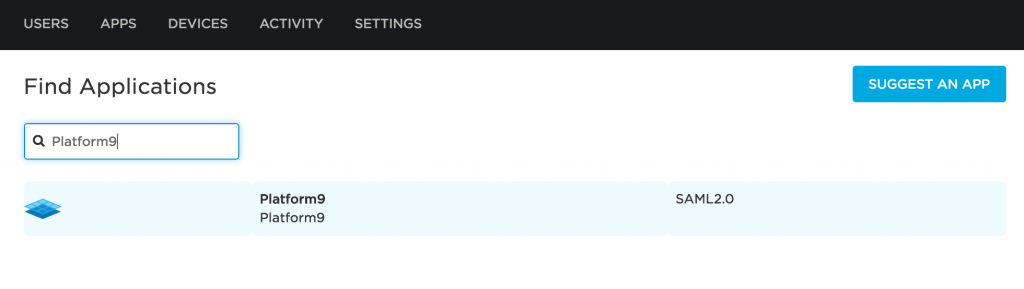
Login to OneLogin as an administrator. Click Add App, and search for "Platform9." Then click the app to import it into your company's app catalog.
Step 2. Configure Platform9 app
After importing the app you will be automatically redirected to the application configuration section.
- Adjust any desired settings on the Portal configuration page, and click Save.
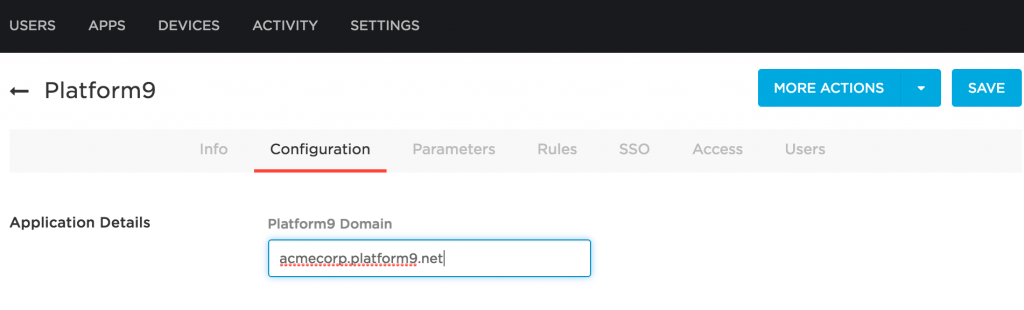
- Click Configuration in the top menu bar, and enter your Platform9 account FQDN.
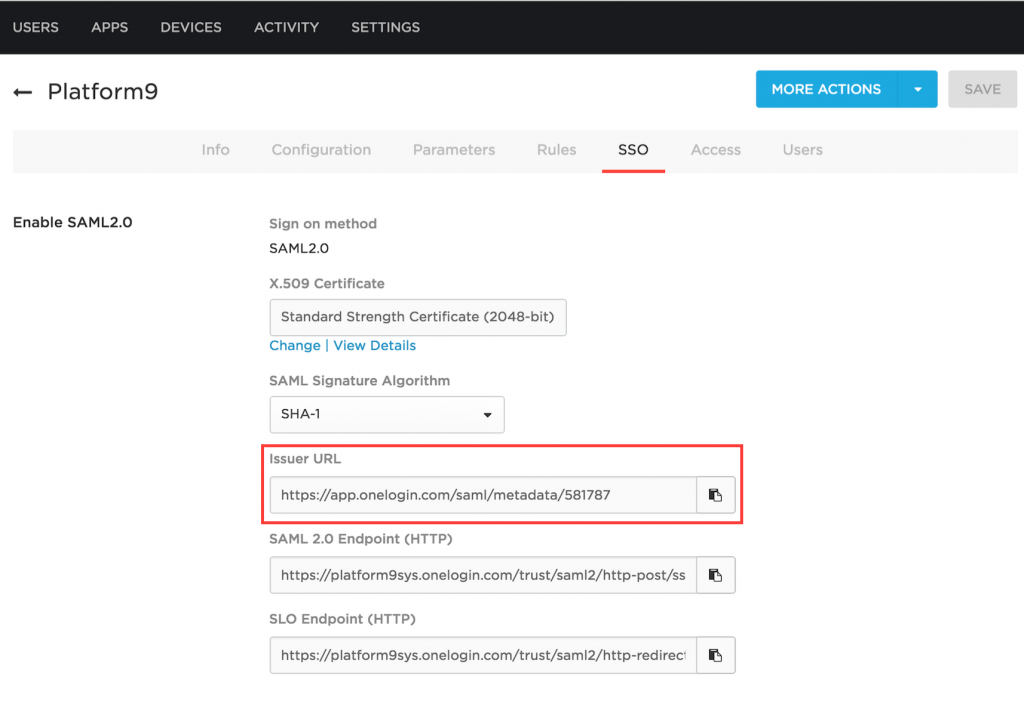
- Click SSO and copy the Issuer URL by clicking the clipboard icon to the right of the text field. You will need to provide this URL to Platform9.
- Click Access and select the roles you want to grant access to Platform9.
- Optionally, click Parameters and add an additional SAML attribute which will serve as group classifier within Platform9 (more info on this in the link below).
That is it! Once you grant permissions to SSO users as described here, they can start using Platform9 Managed OpenStack cloud right away.
Was this page helpful?