
Introduction
Getting Started
Infrastructure
Networks
Volumes and Snapshots
Images
Instances
Flavors
User Administration
Accessing VMs
Application Management
CLI Access
Monitoring & Alarms
Troubleshooting
Tutorials
Support
Regions
Powered By

When an organization change occurs and a tenant is no longer required, the tenant may be removed by performing a delete in Clarity.
Warning: Once removed, a tenant cannot be restored.
You must be an administrator to edit, create and delete tenants.
To delete a tenant, follow the steps given below.
1. Log in to Clarity.
2. Click Tenants and Users in the left panel.
3. Click the Tenants tab.
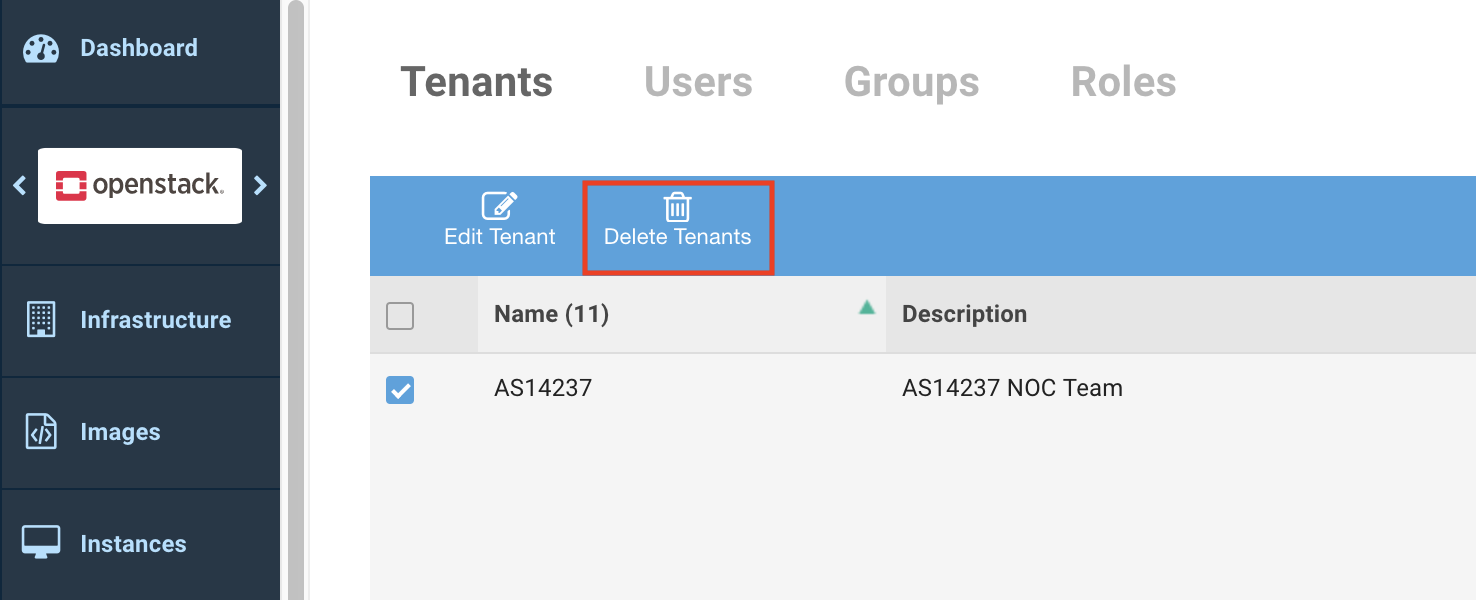
4. Select the check box for the tenant to delete.
5. Click Delete Tenant on the toolbar seen above the list of tenants.
6. Click Delete Tenant on the message if you are sure that you want to delete the tenant.
The tenant is deleted and no longer available for use.
Was this page helpful?