
Overview
Getting Started
Clusters
PMK CLI
APIs
Catapult Remote Monitoring
Platform9 Managed Add-ons
Platform Administration
Workloads & Apps
Support
Powered By

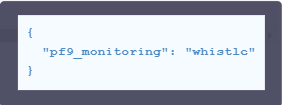
In this article, we demonstrate how to add the pf9_monitoring tag for whistle alerts in the PMK management plane. This tag is recommended to receive email alerts which will be forwarded to Platform9 support team as well.
To begin, follow the steps below.
Step 1.
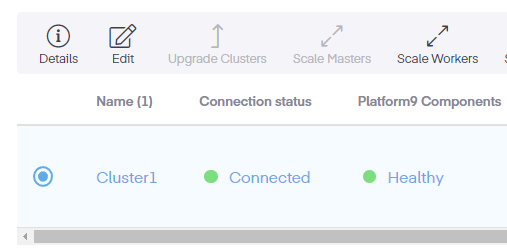
First, open the UI and select the cluster using the radio box.
Step 2.
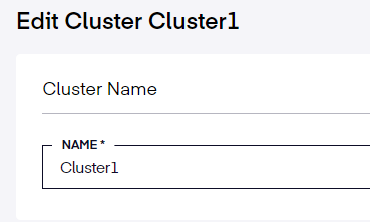
Once chosen, click on the Edit icon. This will open the Cluster properties from the Management Plane Dashboard.
Step 3.
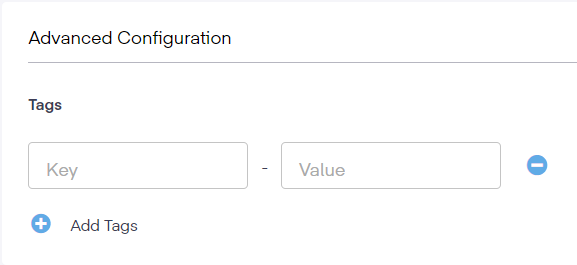
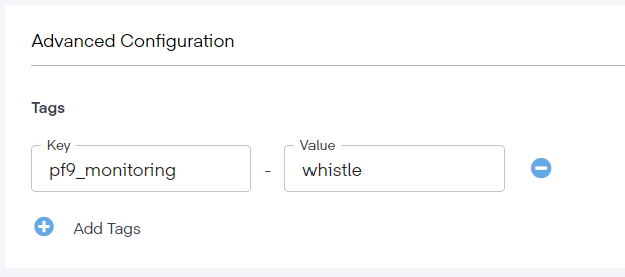
Scroll down to the Advanced Configuration section and add the key name of the tag, pf9_monitoring, and the value, whistle, into the respective fields.
Step 5.
Next, click the Update Cluster button. This will save the changes. This will add the information into the cluster's metadata and enable whistle alerting.
Was this page helpful?