
Introduction
Getting Started
Infrastructure
Networks
Volumes and Snapshots
Instances
Flavors
Tenant Administration
User Administration
Accessing VMs
Application Management
CLI Access
Monitoring & Alarms
Troubleshooting
Tutorials
Support
Regions
Powered By

There are two types of images supported with Platform9’s Managed OpenStack for VMware vSphere. You can use:
- VM Templates (automatically discovered from paired datastores)
- VMDK files (must be uploaded to the Glance image catalog using Glance API/CLI
Using VM Templates
Using VMware templates for your images in Platform9 OpenStack image catalog is the easiest and most performant way of launching instances using Platform9, since templates are directly cloned at the vSphere layer, without involving overhead of extra copies via OpenStack Glance. To achieve this:
- Copy over any existing vSphere templates to one of the datastores paired with Platform9 Managed OpenStack compute.
- Once you do this, Platform9 template discovery will run within next 10 minutes (periodic intervals), and will discover and report these templates to the Glance service for use as OpenStack images.
- The templates will then appear in your Glance image catalog and can be viewed in the Images menu of Platform9 UI/queries via Glance API.
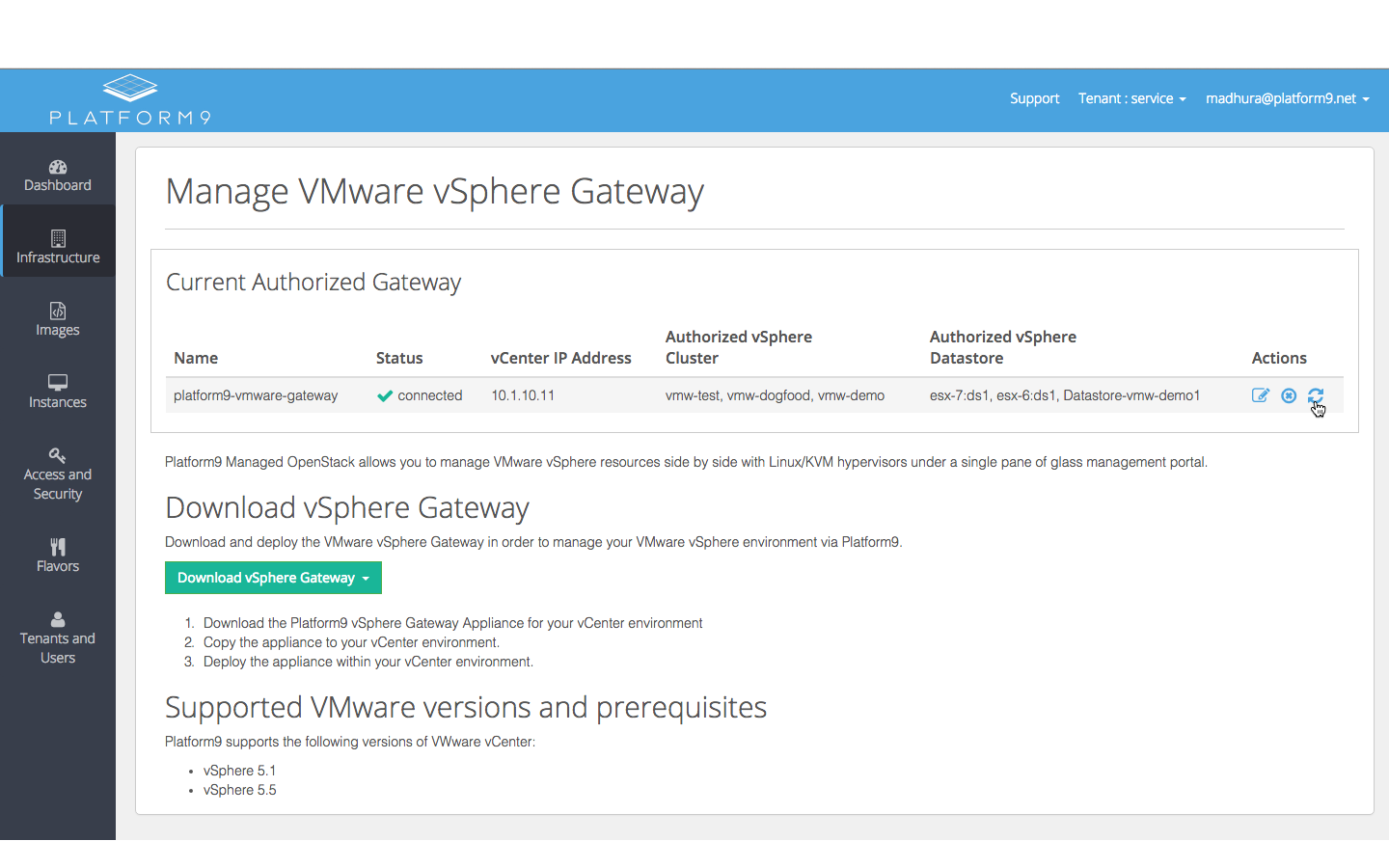
- If you’d like to trigger the template discovery immediately after copying templates to the datastores, this can be done by going to the “Manage VMware Gateway” page, and clicking on the “Refresh” icon, as shown in the screenshot below:
Best Practices
- It is a good practice to clear out existing NICs and CD-ROM drives attached to the template before using it as an OpenStack image, since the instance provisioning flow will attach its own networks, and also drives to pass in cloud-init metadata.
- The configuration for the template in terms of CPU, memory, disk size will be overridden based on the flavor chosen during instance provisioning.
- It is also recommended that templates have only one disk attached to them - this will get resized as needed, based on the flavor chosen during provisioning.
Using VMDK Files
Unlike templates, Platform9 does not currently automatically discover VMDK files from the paired datastores. You need to upload vmdk files to the Glance Image catalog via the Glance APIs. More details can be found in the support article on VMware Glance Datastore Support.
Was this page helpful?